Common Git Actions
1. Cloning a repository
The recommended location is:
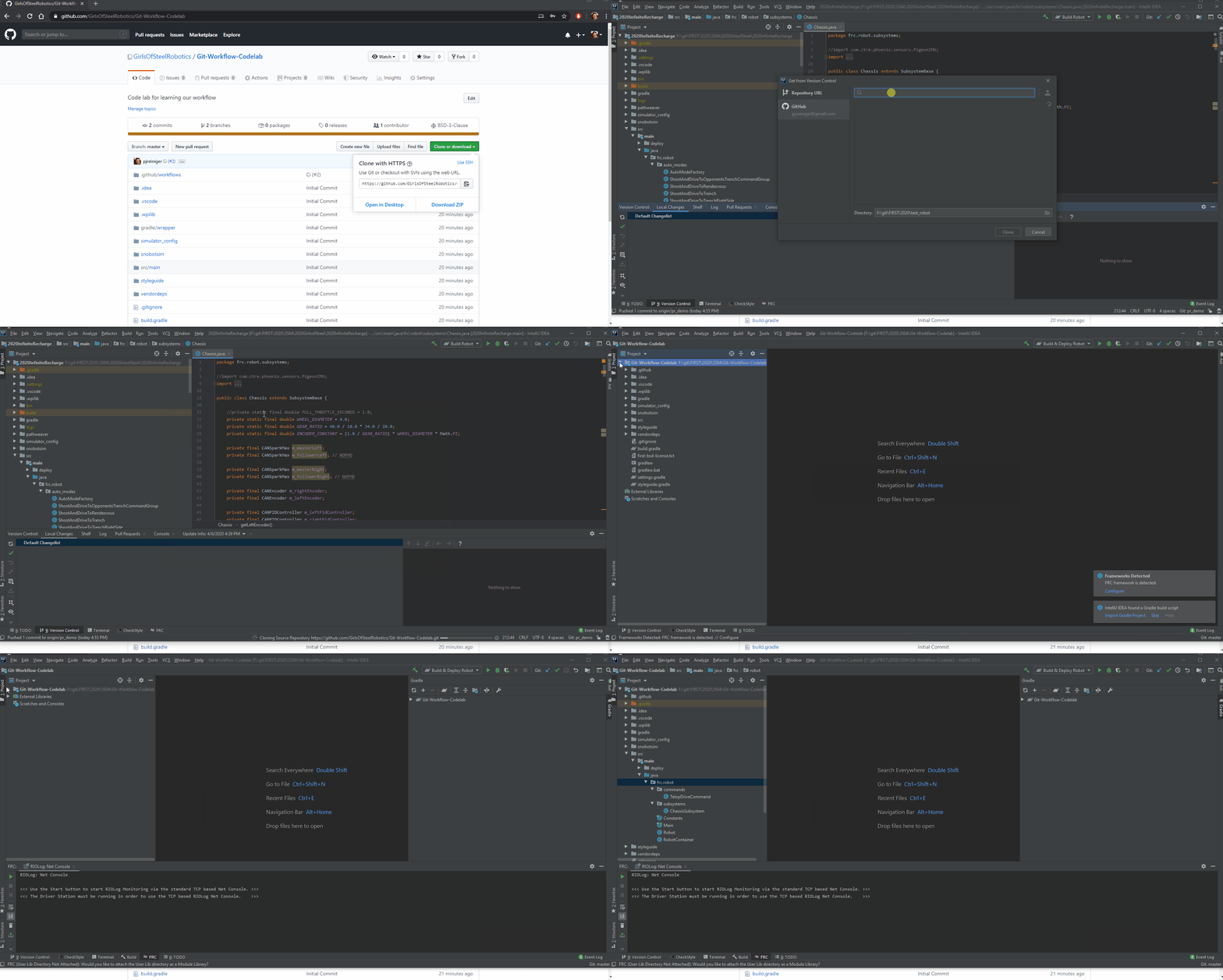
C:\Users\<user>\Documents\git\scra\<project_name> on Windows~/git/scra/<project_name> on Linux / MacTo clone a repository, click File -> New -> Project from Version Control. Paste the URL you copied from github, and select a destination directory.

cd <directory where you want the project>
git clone <url from github>
2. Checking out a new branch
When you are working on a new feature, you should “checkout” a new branch.
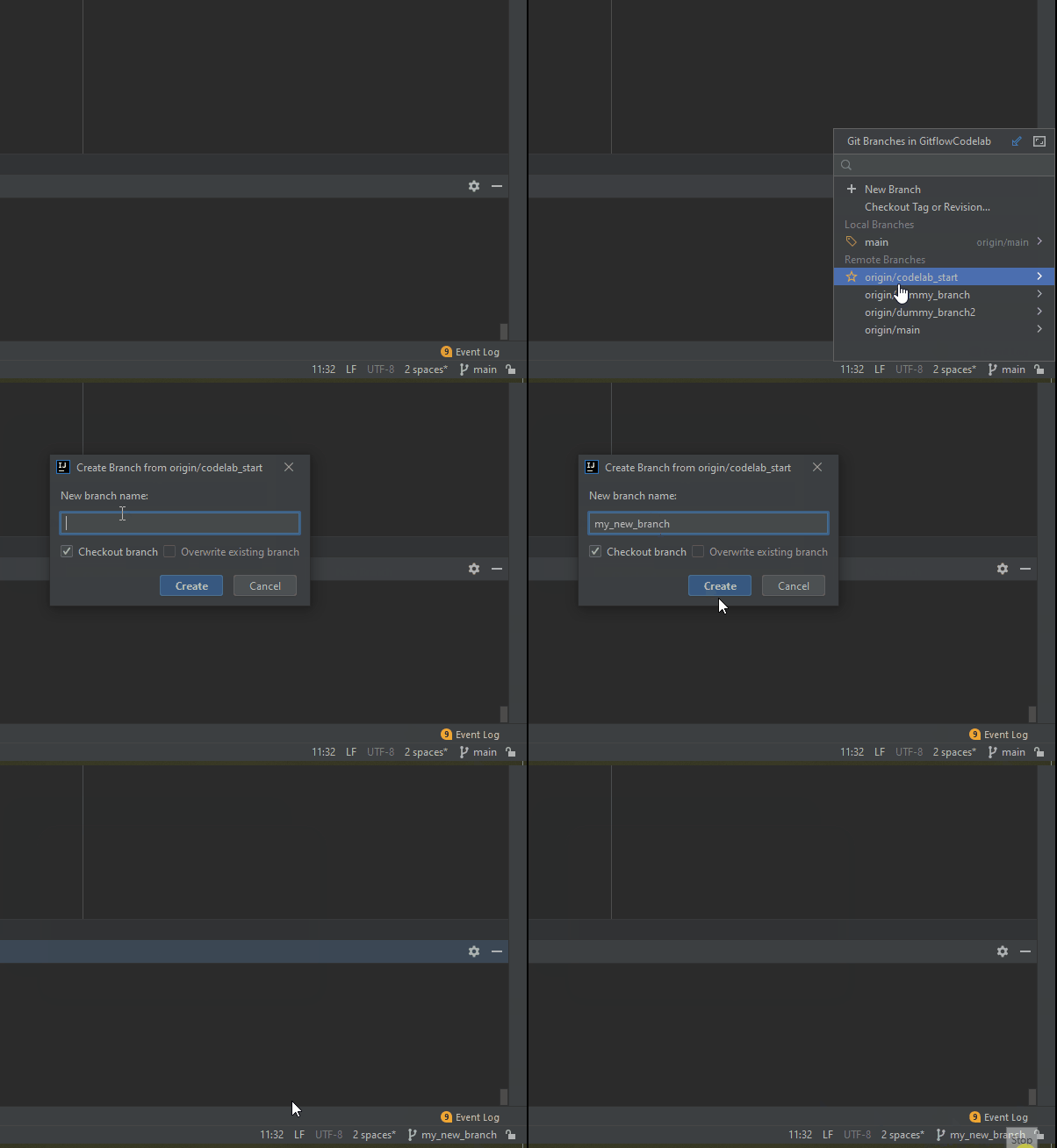
You will see your currently selected branc on the bottom right of the IDE. If you click that, you can also switch branches, or create
new ones. Normally, you would “Create New Branch” off of origin/main, but in this case, base it off of origin/codelab_start.
Select your new name, and notice that the branch name in the bottom right has changed.

# Checkout a new branch based on your currently checked out branch
git checkout -b <new branch name>

# Checkout a new branch based on some other branch
git checkout -b <new branch name> <parent branch name>
3. Commit and Push
Committing and pushing are two separate actions, but for our purposes on FRC we will usually do both at at the same time.
Making a “commit” will save a snapshot of the repository.
“Pushing” is the process of publishing our local commits to the remote server (github.com).
On the left side of the IDE you will see a “Commits” tab. From here, you can select all the changes you want to commit, write a commit message, then click the “Commit and Push” button


# Add all your changes
git add *

# Commit the changes
git commit -m "<your commit message>"

# Push the changes
git push
4. Fixing Conflicts
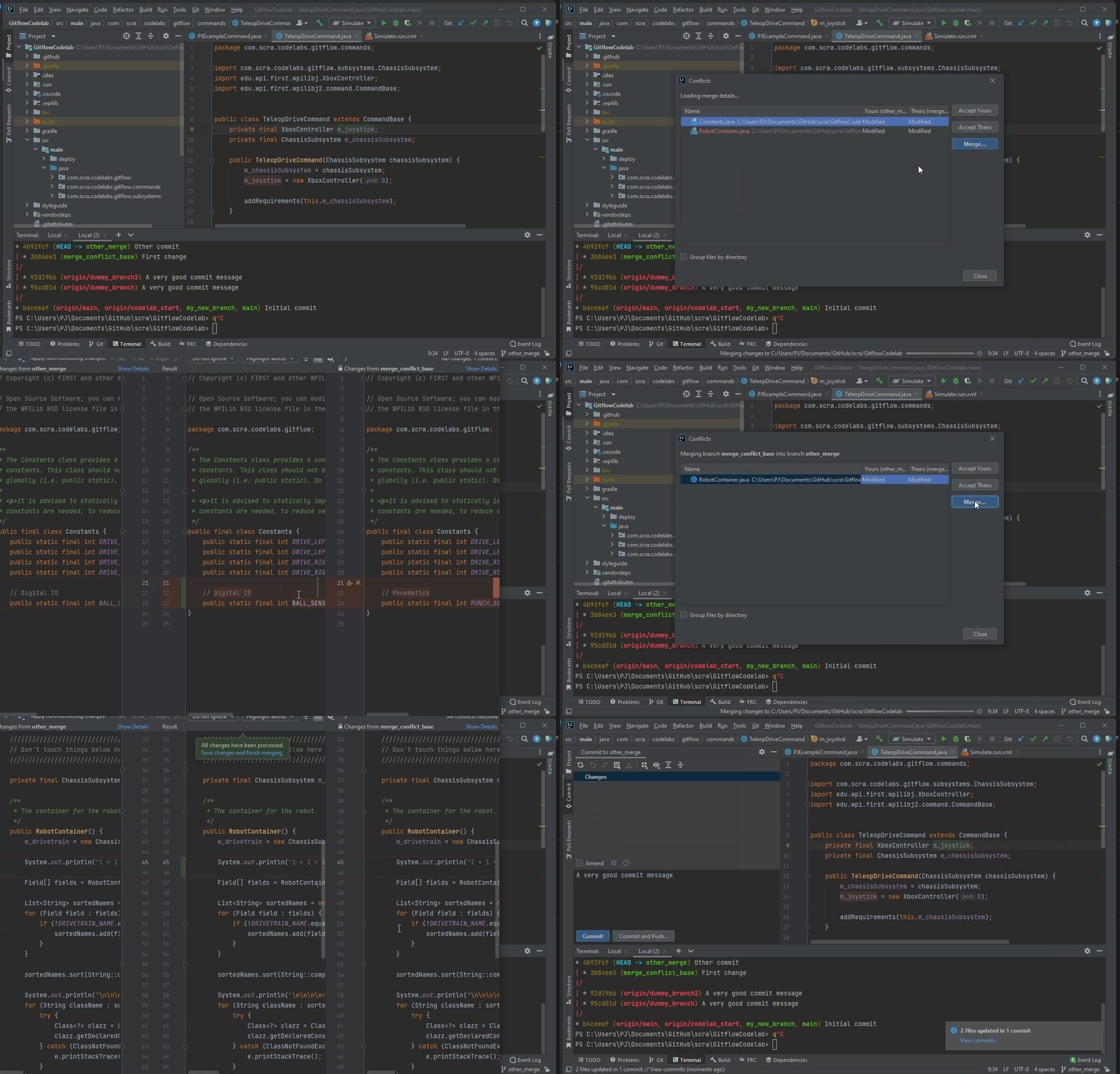
When multiple people are working on the same project, there are times when two people edit the same file in the same place. This causes a “merge conflict”, which you must resolve. Sometimes your change should overwrite their change (or vice versa), and sometimes you might actually want to keep both sets of changes. This is highly dependent on what the changes are, and merge conflicts should be handled with great care